Sharing a document
You can share a document with other users in several ways. The options are described below:
Updated: 25.10.2026 00:22 Right click document and click "Sharing"
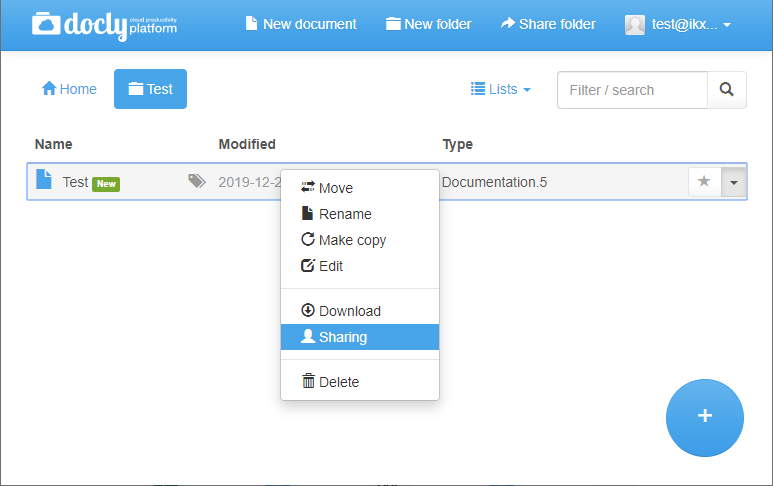
Choose desired option
| Option | Description |
|---|---|
| Publish online | Publish the document on an address of your choice — open to everyone, or only for invited users who sign in. This means they can view the content you have made on an URL of your choice. |
| Read- and write permission | Give other users access to the document in Docly. The access levels are "Web access" (only when the document is published with login), "Read only", "Read and write", "Block" and "Custom". |
| Download | Download the document so you can share it the way you like outside Docly. |
| Send by e-mail | Send a version of this document by e-mail to someone. |