Invite users to a published folder with login
You can follow this guide if you want to give new users access to your published folder that has "Requires login" enabled.
Updated: 25.10.2026 00:22 Navigate to the folder in Docly
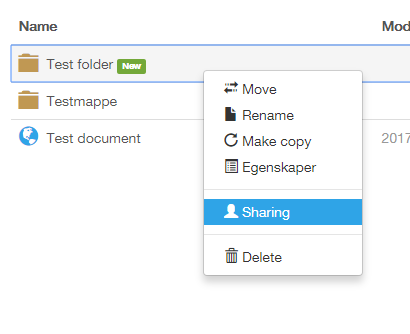
Find the folder you want to give access to in Docly. Right click the folder and click "Sharing" as shown below:
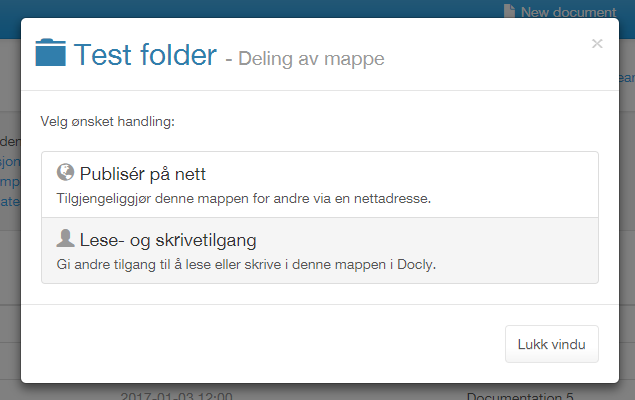
Choose "Read- and write permission"
Enter user details
Click "Invite". Under "Who", enter the e-mail address of the person you would like to invite, and under "Access" choose "Web access". If the person doesn't already have a Docly account, they choose their own password when they accept the invitation.
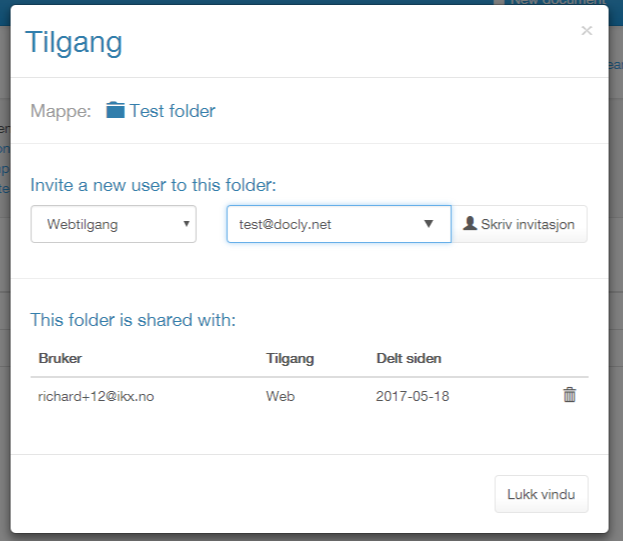
Click the "Write invitation" button to proceed.
Add a message and send the invitation
Under "Message" you can write a message to the person. The field is empty and optional; a link to the folder is added after it automatically.
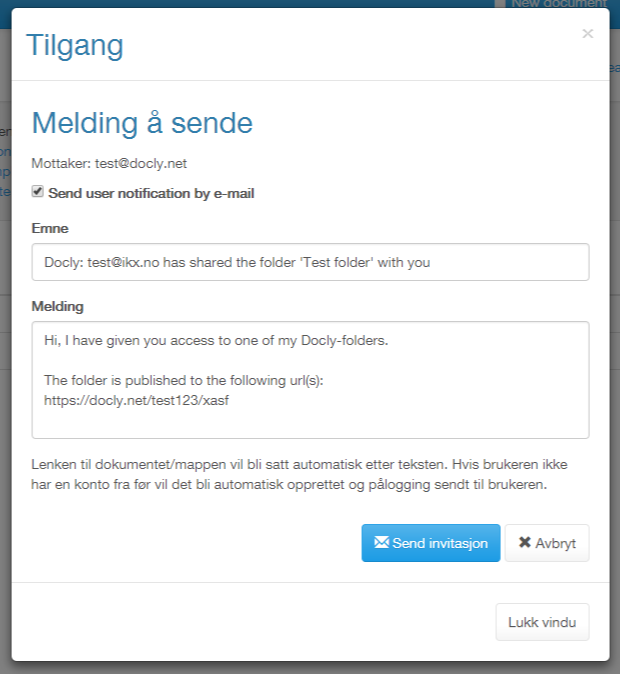
Click the "Send invitation" button to invite the new user to your folder. The user receives your invitation by e-mail, with the buttons "Accept invitation" and "Decline".